
Office phone systems and VoIP for business across South Africa
Updated for October 2026
Hosted Yeastar P-Series Cloud PBX, Enterprise plan, set up and supported by Outsource Digital.
Outsource Digital installs office phone systems and VoIP for businesses across South Africa. A VoIP phone system carries your calls over the internet instead of old copper lines, on desk phones, cordless phones and an app on cellphones and computers, all on the office number you keep.
There is nothing to install or maintain on site: the system runs online and works from any office, from home or on a cellphone. You do not need to know the jargon either, because the sections below explain it in plain English.

What is VoIP?
VoIP stands for voice over internet protocol. In plain English: your phone calls travel over your internet connection instead of over old copper telephone lines.
VoIP for business means your office number is no longer tied to one socket in the wall. The same number can ring on a desk phone at reception, on a cordless phone in the workshop and on an app on your cellphone, wherever you have data or Wi-Fi.
What is a cloud phone system?
Every office phone system has a switchboard. It gives each person an extension, rings the right phone, transfers calls between staff and keeps voicemail and call history. The old names for that switchboard are PBX and PABX.
In a cloud phone system the switchboard runs online instead of in a box on your office wall. Your phones and apps connect to it over the internet.
Which office phone system suits a small business?
A small business in South Africa usually weighs up three kinds of phone system. Here is how they differ, in plain terms.
| Compared | Telkom-style phone lines | On-site PABX | Cloud PBX (what we install) |
|---|---|---|---|
| What it is | Separate phone lines from the exchange, each with its own number | A switchboard box on your office wall, with your lines connected to it | A switchboard that runs online, set up and supported by us |
| Number of lines | One call at a time per line: more calls need more lines | Limited by the box and the lines plugged into it | Extensions are added or removed on the system, without new equipment |
| Works from home | No | Not without extra equipment and set-up | Yes, on the mobile, desktop and web apps |
| Keep your number | Yes | Yes | Yes: we port your landline number to the new system, in about 3 days |
| In a power cut | Phones that plug into the mains need backup power | The box and the desk phones stop without backup power | The system keeps running online; a backup battery (UPS) keeps the desk phones on, and staff can answer on the app |
| Who maintains it | The line provider looks after the line; the phones are yours to look after | You, or a company you pay to maintain the box on your premises | Outsource Digital sets it up and supports it, with nothing to maintain on site |
Our offer is the cloud PBX: the hosted Yeastar P-Series Cloud PBX on the Enterprise plan. It is one system for every size of business, from small businesses to enterprise customers, including multi-branch enterprises.
WhatsApp us to choose the right phone system (opens WhatsApp in a new tab)
How much does an office phone system cost?
We do not publish prices, because the monthly amount depends on your office. Three things set it: the number of users, whether they use desk phones, cordless phones or only the app, and the term of the agreement.
Whoever you get a quote from, us included, ask what each of these costs:
- Handsets: the desk phones and cordless phones, and whether you buy or rent them.
- Cabling: a network point for each desk phone.
- Porting: moving your existing number across, which takes about 3 days.
- Contract length: how long you are committed for.
- Support: who fixes a fault, how quickly, and what the service agreement covers.
WhatsApp us your number of users for a quote (opens WhatsApp in a new tab)
What does an office phone system include?
Desk phones, cordless phones, and the phone app on your staff's cellphones and computers, all on one system. Your number follows you to the app when you leave the desk.
We supply Yealink desk phones and cordless phones on the Yeastar P-Series phone system, and the phone app runs on Android, iPhone, Windows and Mac and in a web browser. Desk phones are optional: some teams work only on the app.
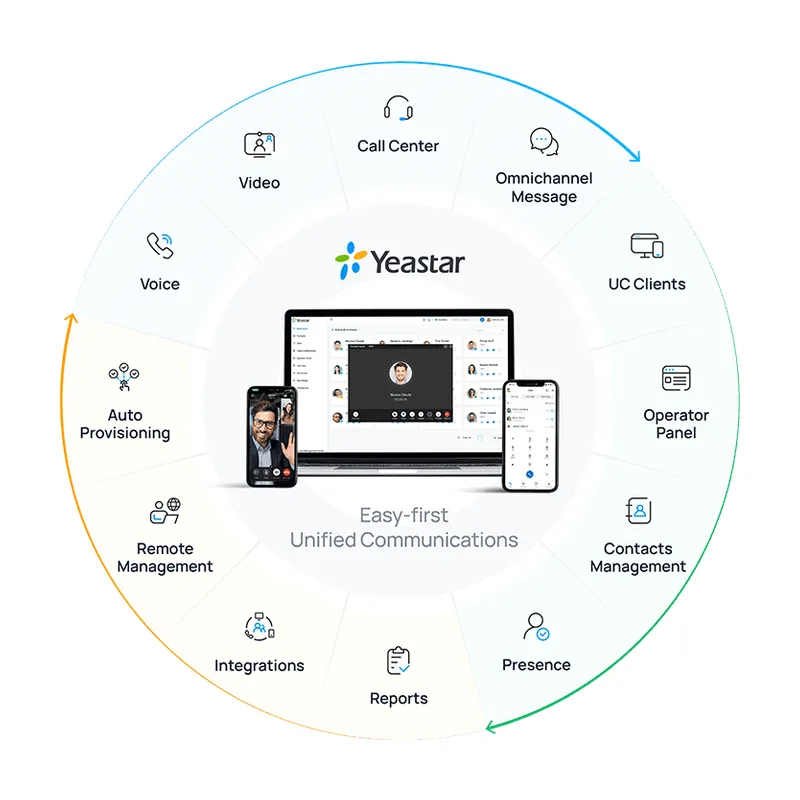
The Enterprise plan includes the everyday tools an office needs: an auto attendant that greets callers, ring groups, call queues, transfer, call pickup, conference rooms, voicemail to email, music on hold, business hours and holidays, and call recording.
Yeastar P-Series Phone System, Enterprise plan: features and specifications
Phone systems for small offices and large companies
We build a phone system around your business, from a small office to a full company system.
For businesses of 1 to 10 people, Outsource Office puts a landline number on your cellphone together with an AI receptionist, business email and a website. Larger offices get a full office phone system with extensions for every desk and department.
Can you upgrade a call centre phone system?
Yes. We move call centres onto the hosted Yeastar P-Series Cloud PBX, and its Enterprise plan includes the call centre tools:
- Call queues, with queue callback, so a caller can hang up and be called back instead of holding.
- Skill-based routing, so each call goes to the agent best placed to answer it.
- A real-time wallboard showing calls waiting and agents free.
- SLA monitoring, with alerts when callers wait too long.
- Post-call surveys and call centre reports.
- Call recording, and logs of external calls.
An outbound auto-dialler is available on request. Agents can take calls on desk phones or on the app, in the office or at home.
WhatsApp us about your call centre (opens WhatsApp in a new tab)
Upgrade from your old PABX
If your old PABX keeps failing, is out of support or no longer does what your business needs, we replace it. Whether it is an old Panasonic, Samsung or any other brand, we do not take it over, repair it or support it: we take it out and move you onto the hosted Yeastar P-Series, an upgrade to a world-class phone system.
Depending on your plan, this is what you gain:
- Calls on desk phones and on mobile, desktop and web apps, in the office or at home.
- An auto attendant, ring groups, call queues and voicemail to email.
- Call recording and call cost reports.
- WhatsApp, Facebook, SMS and website live chat in one inbox.
- Links to Microsoft Teams and Outlook, and to CRMs such as Zoho CRM, Salesforce and HubSpot.
You keep your office number: we port it to the new system.
WhatsApp us to replace your old PABX (opens WhatsApp in a new tab)
Can I keep my office number?
Yes. Outsource Digital can port all your landline numbers to its system, so you keep your existing numbers. On installation day we forward your existing calls to your new VoIP number, so you never miss a call. Porting your number then takes about 3 days, with no disruption to your service. The old lines stay on until the move is confirmed.
To move a number, we need a current paid-up account from your existing provider, a letter on your company letterhead authorising the move, and our signed porting form. We handle the rest.
What do I need for a VoIP phone system?
An internet connection that your calls can depend on. We supply business fibre, or a dedicated LTE (mobile data) router for your phones. The phones work perfectly on either. We also install office cabling, routers and Wi-Fi, and backup internet that takes over if your main line goes down, so one team looks after the line and the phones.
The video shows a day of installing office phones and Wi-Fi at a client.
Why choose Outsource Digital for your phone system?
Outsource Digital has installed and supported office technology for South African businesses since 2004. Our in-house PBX, network, field and on-site support technicians install and look after your system, backed by telephonic and online support and by service partners in all the major cities. We support phone systems throughout South Africa and into Namibia and Eswatini, from our head office in Midrand, Gauteng, and our Nelspruit branch in Mpumalanga.
What customers say on Google: the Midrand head office is rated 4.8 on Google from 215 reviews, November 2026; the Nelspruit branch is rated 4.3 on Google from 10 reviews, November 2026.
Existing customers WhatsApp or call 011 466 8510 to log a service call.
Phone system service and support
A technician attends within 4 to 6 business hours. Your service agreement covers on-site maintenance and remote support, so many faults are fixed without anyone needing to visit.
WhatsApp us about phone system support (opens WhatsApp in a new tab)
Never miss a call
Your AI receptionist answers every call your team cannot get to, in your business's name, and takes a message. With Landline to WhatsApp, customers can also WhatsApp your office landline number.
Do I have to sign a long contract?
We offer month-to-month agreements and longer-term rentals on phones and copiers.
Also useful: desk phones, mobile phone apps, AI receptionist and Landline to WhatsApp.
How it works
WhatsApp us
Tell us how many people need a phone, and whether they want desk phones, cordless phones or only the app.
A site visit
We look at your internet line, your network points and how calls should flow through your office.
Your quotation
A quotation made for your office, with the handsets, the set-up and the support spelled out.
Choose how to pay
Buy the phones, or rent them. Month-to-month agreements are also available.
Set-up and porting
We set up the system, install the phones and apps, and port your office number across to it.
Support
Help on WhatsApp, by phone and online, and a technician on site when a fault needs one.
Questions about office phone solutions
Can I keep my existing number?
Your existing number can stay with you. South African landline numbers can be moved between providers (number porting), so your customers keep calling the number they know. On installation day we forward your existing calls to your new VoIP number, so you never miss a call. Porting your number then takes about 3 days, with no disruption to your service. After that, it rings on your desk phones and on the app on your cellphone.
What do I need to move my number?
A current paid-up account from your existing provider, a letter authorising the move, and our signed porting form. We handle the rest.
Do my phones work during load-shedding?
A cloud system keeps running even when your office power is off. We put the network switch, the router and the fibre or LTE box together in a cabinet on a backup battery (UPS), and the switch powers the desk phones through the network cable, so phones and calls keep working. For outages longer than 2 hours, we can supply an inverter. Staff can also answer office calls on the phone app on their cellphones.
How much internet do I need?
Each call uses very little data, roughly 100 kilobits per second. A stable line matters more than raw speed. We supply business fibre, or a dedicated LTE (mobile data) router for your phones. The phones work perfectly on either.
Can staff answer calls from home?
Yes. Staff can answer office calls from home. Office extensions work on the mobile app and on computers, anywhere with internet.
Can I add or remove extensions later?
Yes. Extensions on your office phone system can be added or removed later, without new equipment.
What is the best phone system for a small office?
The best phone system for a small office is usually a VoIP phone system that rings on desk phones and on an app on your cellphone and computer. For a business of 1 to 10 people, Outsource Office from Outsource Digital puts a landline number on your cellphone with an AI receptionist. Bigger offices get extensions for every desk.
How much does a VoIP or cloud PBX system cost?
The cost of a VoIP phone system or cloud PBX depends on how many people need an extension, whether you want desk phones, cordless phones or only the app, whether you move your existing number, and the term of the agreement. Outsource Digital does not publish prices: WhatsApp us on 011 466 8510 for a quote.
What is the difference between a PBX and a PABX?
An office phone system's switchboard goes by both names, and in everyday use there is no difference. The switchboard gives each person an extension, rings the right phone and transfers calls between staff. PABX is simply the older name for a PBX. Today the switchboard usually runs online, as a cloud VoIP phone system.
Is PBX outdated?
The switchboard idea is not outdated: every office phone system still needs one to give extensions, ring the right phone and transfer calls. What has changed is where it runs. The old PBX box on the office wall has given way to a cloud phone system, with VoIP calls travelling over the internet to desk phones, computers and cellphones.
Can I just plug a VoIP phone into my router?
A VoIP phone plugs into your office network with a network cable, but plugging it into the router is not enough on its own: the phone must first be set up on a phone system with your number. Outsource Digital sets the phones up for you, so you plug one in and your office line rings on it.
Is there a softphone app?
Yes. The office phone app is a softphone: it turns a cellphone or computer into an office extension. It runs on Android and iPhone, on Windows and Mac, and in a web browser, and calls go out on your office number, not your personal one.
Which desk phones are supported?
We supply and install Yealink desk phones and cordless phones. Yeastar states that the P-Series works with more than 500 IP phone models and sets them up automatically.
Can calls be recorded?
Yes. Call recording is included in the Enterprise plan of the hosted Yeastar P-Series Cloud PBX. We set it up for the extensions and calls you want recorded when we install your system.
Watch: office phone solutions in action

With Outsource Digital's phone system, your office number rings on the phone you already have

Missed calls mean missed business
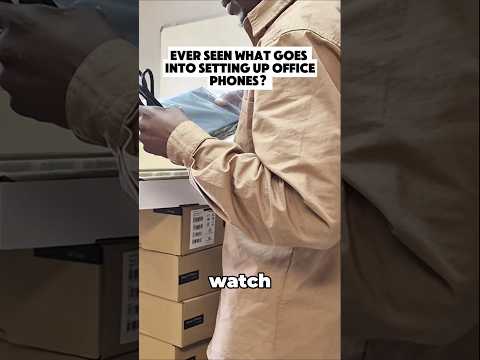
What goes into setting up office phones
All 34 videos about office phone solutions
- "Who do I call for that?"
- Every office has loud laughers
- Which colleague would be the loudest?
- Can you WhatsApp your office landline number?
- Anything except this TikTok dance
- A hosted phone system is more than just a phone
- The only guy working with the ladies
- Assembling office phones: same care for every system
- Office phone not receiving calls? A quick fix on site
- Building a new office phone system piece by piece
- Why phone system configuration matters
- Installing a wireless desk phone for a client
- What happens when your phones or Wi-Fi go down?
- How long does an office phone and Wi-Fi install take?
- An office before and after its phone installation
- Behind the scenes: office phone and Wi-Fi installation
- A Yealink desk phone with more programmable buttons
- Office Wi-Fi first, then wireless desk phones
- Wi-Fi desk phones installed for a client in Mpumalanga
- Keep your numbers and move your phones to the cloud
- Yealink entry-level IP desk phones explained
- Our stand at a golf day: Yealink phones and Toshiba printers
- Cordless office phones: the older base station and the new W73
- Proper office Wi-Fi compared with a home router
- One missed call can cost your business a client
- Upgrading office phones: Yealink desk phones and the phone app
- Your sign to upgrade your office telephone line
- Chairs, phone lines, CCTV, copiers and printers from one supplier
- We survey the site before we install a single cable
- Never miss a call again: a WhatsApp goes to every missed caller
- WhatsApp on your landline: how it works
Where we work
- Office phone solutions in Midrand and across South Africa
11 Monza Close, Kyalami Business Park, Midrand, Gauteng, 1684
- Office phone solutions in Nelspruit and Mpumalanga
Shop 6G, Riverside Auto Centre, 7 Mystic River Crescent, Riverside, Mbombela, 1200
Popular models
The phone system we install has its own short page with its main features and specifications. We do not publish prices: WhatsApp us your number of users for a quote.
Phone system
Talk to us about office phone solutions
WhatsApp us and we will reply with the information or a quote.
Or phone 011 466 8510 (WhatsApp, opens in a new tab)
Monday to Thursday, 08:00 to 16:30; Friday, 08:00 to 15:30