
Toshiba e-STUDIO series · Small office
Toshiba e-STUDIO desktop colour copiers
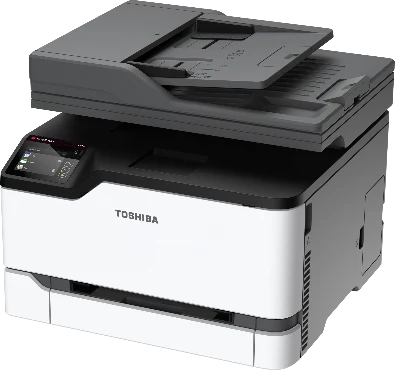
Two A4 colour machines that print, copy and scan at 33 pages a minute, with a document feeder that scans both sides of a page in one pass.
Supplied and installed by Outsource Digital. No prices are published: WhatsApp us for a quote.
Key features
- Colour printing, copying and scanning at 33 pages a minute
- Document feeder scans both sides of a page in one pass
- Prints on both sides of the page automatically
- Fits on a desk or a stand
- Touch panel for settings and scanning
Who it suits
A small team that needs colour documents and quick scanning of two-sided paper, and has room for an A4 machine on a desk or stand.
Specifications
| Speed | 33 pages a minute on A4 |
|---|---|
| Duplex (both sides) | Automatic, on A4 paper |
| Document feeder | Dual-scan feeder, scans both sides in one pass |
| Scan resolution | Up to 600 x 600 dpi |
| Control panel | Colour touch panel, 4.3 inch (tiltable) on the 339CS and 10.1 inch on the 331AC |
Specifications from Toshiba's published product information.
Models in this series
| Model | Speed | Paper | Colour | Functions | Paper capacity |
|---|---|---|---|---|---|
| e-STUDIO339CS | 33 pages a minute | A4 | Colour | Print, copy, scan, fax | 250-sheet tray plus 1-sheet manual slot; up to 2,001 sheets with options |
| e-STUDIO331AC | 33 pages a minute | A4 | Colour | Print, copy, scan, optional fax | 550-sheet trays plus 100-sheet bypass; up to 3,200 sheets with options |
Installed and serviced by Outsource Digital
We match the desktop colour series to a small office: desktop colour machines at 33 pages a minute on A4. The other series we suggest for a small office is the desktop black-and-white.
Choosing between the e-STUDIO339CS and e-STUDIO331AC
Both print 33 pages a minute on A4, so the difference is in paper handling and features. Fax is built in on the e-STUDIO339CS and an option on the e-STUDIO331AC. The e-STUDIO339CS can hold up to 2,001 sheets with options, the e-STUDIO331AC up to 3,200 sheets with options.
Installation and service
Whichever desktop colour model you choose, we connect it to your network and set up scan-to-email and scan-to-folder.
Outsource Digital delivers your desktop colour copier, sets it up and shows your staff how to use it, and our own technicians then look after it under a service agreement.
That agreement pays for parts, labour and call-outs and includes toner and other consumables, but not paper.
You can rent it month to month or on a longer-term agreement through APEX Rental Finance, or buy it outright.
WhatsApp us roughly how many pages you print a month and how much of it is colour. We will tell you whether the e-STUDIO339CS or e-STUDIO331AC suits you and quote to rent, lease or buy.
Also useful: multifunction office copiers, office phone solutions, network and fibre installations and CCTV cameras.
Ask us about the Toshiba e-STUDIO desktop colour copiers
WhatsApp us and we will reply with the information or a quote.
Or phone 011 466 8510 (WhatsApp, opens in a new tab)
Monday to Thursday, 08:00 to 16:30; Friday, 08:00 to 15:30